
最近在看 LayoutInflater 源码的时候发现了一个有意思的注释:
@SystemService(Context.LAYOUT_INFLATER_SERVICE)
public abstract class LayoutInflater {
    ...
    private static final String TAG_1995 = "blink";
    /**
     * Tries to create a view from a tag name using the supplied attribute set.
     *
     * @hide for use by precompiled layouts.
     *
     * @param parent the parent view, used to inflate layout params
     * @param name the name of the XML tag used to define the view
     * @param context the inflation context for the view, typically the {@code parent} or base layout inflater context
     * @param attrs the attribute set for the XML tag used to define the view
     */
    @UnsupportedAppUsage(trackingBug = 122360734)
    @Nullable
    public final View tryCreateView(@Nullable View parent, @NonNull String name, @NonNull Context context, @NonNull AttributeSet attrs) {
        if (name.equals(TAG_1995)) {
            // Let's party like it's 1995!
            return new BlinkLayout(context, attrs);
        }
        ...
    }
}
可以看到第二个参数是指定义 View 的布局 TAG 名称,当它为 TAG_1995 时,直接返回一个 BlinkLayout,而重点在这句的注释上:“Let's party like it's 1995!”
这句话中文翻译过来就是:“让我们像 1995 年那样狂欢吧!”
TAG_1995 的值可以看到是 blink,中文是闪烁的意思,我们写个 Demo 来看看效果:
<RelativeLayout xmlns:android="http://schemas.android.com/apk/res/android"
    xmlns:tools="http://schemas.android.com/tools"
    android:layout_width="match_parent"
    android:layout_height="match_parent">
    <blink
        android:layout_width="match_parent"
        android:layout_height="match_parent">
        <TextView
            android:layout_width="match_parent"
            android:layout_height="match_parent"
            android:gravity="center"
            android:text="Let's Party"
            android:textSize="64sp" />
    </blink>
</RelativeLayout>
效果如下:
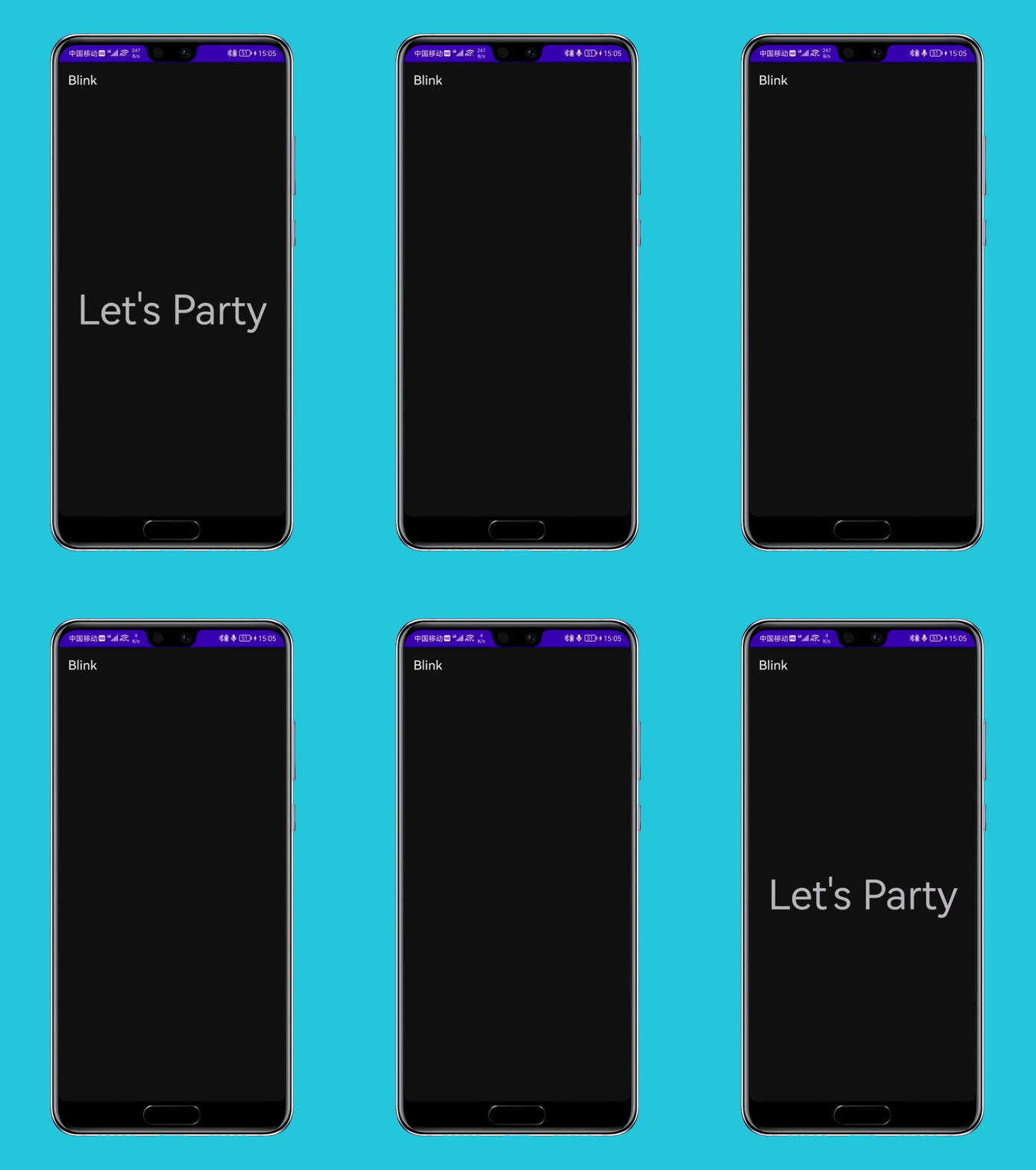
接下来看看它是如何实现的。
BlinkLayout 是 LayoutInflater 的内部类,继承自 FrameLayout,实现并不复杂,完整代码如下:
@SystemService(Context.LAYOUT_INFLATER_SERVICE)
public abstract class LayoutInflater {
    ...
    private static class BlinkLayout extends FrameLayout {
        private static final int MESSAGE_BLINK = 0x42;
        private static final int BLINK_DELAY = 500;
        private boolean mBlink;
        private boolean mBlinkState;
        private final Handler mHandler;

        public BlinkLayout(Context context, AttributeSet attrs) {
            super(context, attrs);
            mHandler = new Handler(new Handler.Callback() {
                @Override
                public boolean handleMessage(Message msg) {
                    if (msg.what == MESSAGE_BLINK) {
                        if (mBlink) {
                            mBlinkState = !mBlinkState;
                            makeBlink();
                        }
                        invalidate();
                        return true;
                    }
                    return false;
                }
            });
        }

        private void makeBlink() {
            Message message = mHandler.obtainMessage(MESSAGE_BLINK);
            mHandler.sendMessageDelayed(message, BLINK_DELAY);
        }

        @Override
        protected void onAttachedToWindow() {
            super.onAttachedToWindow();
            mBlink = true;
            mBlinkState = true;
            makeBlink();
        }

        @Override
        protected void onDetachedFromWindow() {
            super.onDetachedFromWindow();
            mBlink = false;
            mBlinkState = true;
            mHandler.removeMessages(MESSAGE_BLINK);
        }

        @Override
        protected void dispatchDraw(Canvas canvas) {
            if (mBlinkState) {
                super.dispatchDraw(canvas);
            }
        }
    }
}
当 BlinkLayout 回调 onAttachedToWindow() 时,调用 makeBlink() 方法,makeBlink() 方法内部用 Handler 发送一个延迟 500ms 的消息。从构造函数中又可以看到,在接受到 Handler 消息后,又接着调用 makeBlink(),循环发送消息,然后刷新页面。
当 BlinkLayout 回调 onDetachedFromWindow() 时,移除这个这个消息队列中的所有消息,结束循环。
接下来再看这个 Message 的处理,在 handleMessage() 中,会对 mBlinkState 这个布尔变量取反,然后在 dispatchDraw() 回调时,则判断这个状态变量来决定是否需要绘制界面,由于是每隔 500ms 发送一次消息,所以 mBlinkState 的值也会每隔 500ms 反转一次,View 相应的也会 500ms 绘制一次,500ms 消失一次,就形成了闪烁。
实际上你在写布局文件时会发现,<blink> 标签在『Android Studio』中会报「Cannot resolve class blink」,所以我们一般开发中也不会使用,尽管它能够通过编译,因此也算得上是 Android 官方埋下的一枚彩蛋吧。
关于 1995 年发生了什么,我想了一下与 Android 相关的事件,只想到 Sun 公司在 1995 年发布了 Java,不过随着 Sun 被 Oracle 收购,Google 和 Oracle 的官司也成为了 Android 程序员津津乐道的消息。
后来查了一下,发现 1995 年还是 Google 两位联合创始人 Lawrence Edward Page 和 Sergey Mikhaylovich Brin 在 Stanford 相遇的时间。

2002 年 Andy Rubin 在 Stanford 给硅谷工程师讲课,恰好 Google 两位大佬也是听众。
2003 年 Andy Rubin 创立 Android,随后 2005 年 Google 便收购了这个仅成立了 22 个月的公司,并在 2007 年正式向外部公布 Android 操作系统,随后 Android 生态壮大发展,越居移动操作系统市场占有率榜首。

